A/B testing emails is one of the easiest experiments to start and one of the easiest to get wrong. Most reported "wins" are noise — a subject line that looks 12% better today evaporates when you send it to your full list next week. This guide is about running email A/B tests that actually tell you something, so the changes you keep are the ones that really move the number.
What email A/B testing is
Email A/B testing (also called email split testing) means splitting your audience into groups, sending each group a different version of the same message, and measuring which version performs better on a metric you decided on in advance. Version A is usually your current approach; version B is the challenger. The point is not to "try things" — it's to isolate the effect of one change so you can trust the result and roll it out.
Done well, subject line testing and body/CTA testing compound over dozens of sends. Done carelessly, you'll chase random fluctuations and slowly convince yourself of things that aren't true.
What's worth testing (and what isn't)
Not every variable deserves a test. Your list size caps how many experiments can reach a trustworthy result in a reasonable time, so spend that budget on high-leverage changes. The biggest levers are usually the ones a recipient sees first or acts on: the subject line, who the email is from, when it lands, and what you're actually asking them to do.
Trivia like button color or a one-word tweak rarely produces an effect large enough to detect unless you have serious volume. Deprioritize those until the high-impact tests are exhausted.
| Element | Impact | Effort |
|---|---|---|
| Subject line | High | Low |
| From-name / sender identity | High | Low |
| Offer / core CTA | High | Medium |
| Send timing & day | Medium–High | Low |
| Preheader text | Medium | Low |
| Email length / structure | Medium | Medium |
| Button color / copy micro-tweaks | Low | Low |
How to run a valid test
A trustworthy test follows a few non-negotiable rules:
- Change one variable. If you test a new subject line and a new CTA at once, a win tells you nothing about which change caused it.
- Define the metric before you send. Pick the single number that decides the winner — clicks, replies, or conversions — and write it down first so you can't rationalize a different one later.
- Size the test properly. Small differences need large audiences to detect. A handful of extra opens across 200 people is well within the range of random chance.
- Wait for the result window. People open and click over days, not minutes. Decide the window up front and let it run.
- Don't peek and stop early. Checking repeatedly and stopping the moment a variant looks ahead is the fastest way to ship a false winner.
This is what statistical significance means in plain terms: a difference is only trustworthy once you've collected enough recipients and enough conversions that the gap is unlikely to be luck. A "40% vs 20%" result from 10 clicks each is meaningless; the same rates over thousands of recipients are real. If your tool reports significance, treat it as a gate to pass, not a scoreboard to refresh.
Measure the right metric
Open rates used to be the default success metric for subject line testing. They no longer are. Privacy features like Apple's Mail Privacy Protection pre-fetch images and inflate open counts, so a "higher open rate" can be an artifact of who uses which mail client — not of your subject line. Treat opens as a soft signal at best. For the full picture of which numbers to trust, see our guide to the email metrics that actually matter.
Prefer metrics closer to the outcome you care about:
- Clicks — an intentional action, far harder to fake than an open.
- Replies — the strongest signal for one-to-one or lifecycle messages.
- Downstream conversions / goal completions — the sign-up, purchase, or booking the email exists to drive.
Always tie the winner back to a real outcome. A subject line that lifts opens but drops clicks and conversions isn't a winner — it's clickbait that cost you trust.
Deterministic vs random assignment
How people get assigned to variants matters more than it sounds. If assignment is re-rolled on every retry, resend, or follow-up, the same person can land in variant A on Monday and variant B on Wednesday. Now your cohorts overlap and the data is muddy — you can't attribute a conversion to a variant cleanly.
Good tools assign each person to a variant deterministically: a stable hash of the person's ID decides their bucket, so they stick to the same variant across retries and resends. Cohorts stay clean, and the per-variant numbers actually mean what you think they mean.
Where A/B tests fit in a lifecycle
Most teams only A/B test one-off broadcasts, but the highest-leverage tests live inside your automated flows — the onboarding, activation, and win-back messages that every new user passes through. A better welcome email compounds across every future signup in a way a single campaign never will. If you're mapping those flows, our guide to lifecycle email sequences covers the structure; A/B testing is how you tune each step.
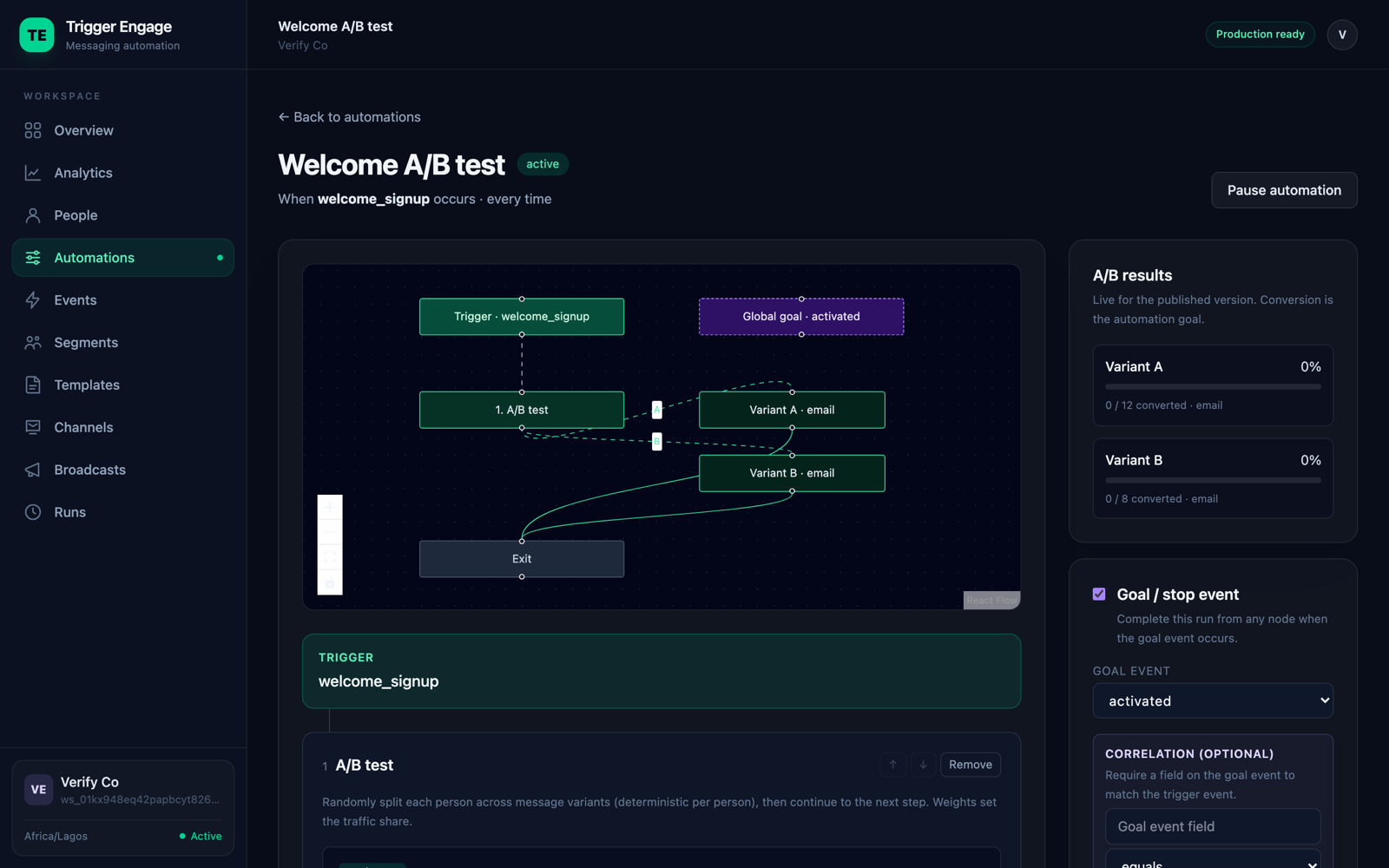
In practice this looks like a "split" step in a journey: each person hits the node, gets deterministically routed to a variant, receives their version, and the tool reports conversion per variant. TriggerEngage has exactly this — a split node with deterministic assignment and per-variant results, so you can test the emails inside your event-based emails in Laravel flows rather than only isolated sends. The A/B testing docs walk through configuring one.
Common mistakes
- Sample too small. The single most common failure — the test can't detect a real effect, so every result is noise.
- Too many variants at once. Splitting a list four ways starves each arm of data and multiplies your false-positive risk.
- Ending early. Stopping the moment a variant pulls ahead bakes randomness into your decision.
- Testing trivia. Button colors on a small list will never produce a detectable signal.
- Ignoring the downstream metric. Optimizing opens or clicks while conversions quietly fall.
- Ignoring weekly seasonality. Tuesday behaves differently from Saturday; a test that spans uneven days or an odd week can mislead. Run across full, comparable periods.